
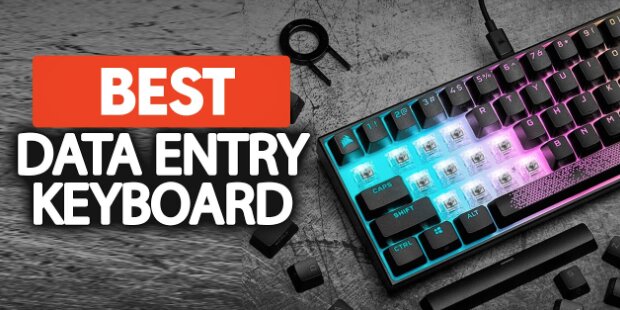
Data entry work may look simple from the outside, but anyone who spends hours filling spreadsheets, updating records, or working inside Excel, Google Sheets, QuickBooks, or CRM systems knows how demanding it actually is.
When you’re typing thousands of rows of numbers, product codes, invoices, or customer details every day, your keyboard becomes more than just an accessory, it becomes your primary productivity tool.
The wrong keyboard can slow you down, increase mistakes, and cause wrist fatigue over long sessions. The right keyboard, on the other hand, can make repetitive typing smoother, faster, and significantly more comfortable.
After evaluating ergonomics, typing comfort, numeric keypad usability, multi-device support, wireless reliability, and long-session fatigue reduction, here are the best keyboards for data entry in 2026.
Our Top Recommendation: ProtoArc KM60 Wireless Bluetooth Keyboard and Mouse
The ProtoArc KM60 Wireless Bluetooth Keyboard and Mouse stands out as the best overall keyboard for data entry work.
It combines a full-size layout, built-in wrist rest, multi-device connectivity, rechargeable design, and a comfortable typing experience that is especially useful for long spreadsheet and database sessions.
What makes it ideal for data entry is its balance between ergonomic comfort and functional efficiency. The keys are well-spaced, the layout is intuitive, and the included mouse makes it a complete productivity setup right out of the box.
For users who spend hours entering data into Excel, CRMs, accounting systems, or inventory tools, the KM60 reduces strain while maintaining fast and accurate typing flow.
Best Keyboards for Data Entry: Our Top Picks
1. ProtoArc KM60 Wireless Bluetooth Keyboard and Mouse – Best Overall for Data Entry
Pros
✓ Full-size layout with numeric keypad
✓ Ergonomic wrist rest support
✓ Multi-device connectivity
✓ Rechargeable battery
✓ Includes mouse for full workflow setup
✓ Comfortable for long typing sessions
Cons
✕ Slightly larger desk footprint
✕ Not mechanical
Specifications
| Feature | Specification |
|---|---|
| Connectivity | Bluetooth + 2.4GHz |
| Layout | Full-size with numpad |
| Devices | Multi-device support |
| Power | Rechargeable |
| Compatibility | Windows, Mac, iOS, Android |
| Included | Keyboard + mouse |
The KM60 is built specifically for productivity-heavy workflows.
The first thing you notice is the ergonomic wrist support, which makes a noticeable difference during long data entry sessions. Instead of hovering your hands over a hard desk surface, your wrists stay in a more natural position.
Typing feels soft and quiet, which is ideal for office environments or shared workspaces. The full-size layout ensures that number entry is fast and efficient, especially for users working with spreadsheets or databases.
Multi-device switching is another major advantage. You can easily move between a laptop, desktop, or tablet without reconnecting devices.
Bottom Line: If you want the most complete and comfortable keyboard for data entry, the KM60 is the clear top choice.
2. Logitech MX Mechanical Wireless Keyboard – Best Premium Mechanical Option
Pros
✓ Excellent tactile typing experience
✓ Backlit keys
✓ Premium metal build
✓ Multi-device switching
✓ Long battery life
✓ Quiet mechanical switches
Cons
✕ Expensive
✕ No wrist rest included
Specifications
| Feature | Specification |
|---|---|
| Switch Type | Tactile Quiet Mechanical |
| Connectivity | Bluetooth + USB-C |
| Layout | Full-size |
| Backlight | Yes |
| OS Support | Windows, Mac, Linux |
The Logitech MX Mechanical is for users who want a more refined mechanical typing experience for data entry.
Unlike loud gaming keyboards, it uses quiet tactile switches that give feedback without being disruptive in office settings.
For long typing sessions, the improved key response can actually reduce typing errors and improve rhythm during repetitive work.
It also supports multiple devices and has strong cross-platform compatibility.
Bottom Line: Best choice if you want a premium mechanical keyboard for data-heavy workflows.
3. Logitech Wave Keys Wireless Ergonomic Keyboard – Best Ergonomic Design
Pros
✓ Curved ergonomic layout
✓ Cushioned palm rest
✓ Comfortable for long use
✓ Easy-Switch multi-device support
✓ Quiet typing
✓ Compact ergonomic footprint
Cons
✕ Learning curve for curved layout
✕ Not mechanical
Specifications
| Feature | Specification |
|---|---|
| Layout | Ergonomic wave design |
| Connectivity | Bluetooth + Logi Bolt |
| Palm Rest | Built-in cushioned |
| Multi-device | Yes |
| Compatibility | Windows/Mac |
The Logitech Wave Keys is designed specifically to reduce strain during long typing sessions.
Its curved layout helps position your hands more naturally, reducing wrist twisting during repetitive data entry.
The cushioned palm rest adds another layer of comfort, especially for users who work 6–10 hours per day at a desk.
Bottom Line: Best ergonomic keyboard for reducing fatigue during heavy data entry work.
4. Arteck Split Ergonomic Wireless Keyboard – Best Split Layout for Comfort
Pros
✓ Split ergonomic design
✓ Cushioned wrist support
✓ Wireless 2.4GHz connection
✓ Comfortable hand positioning
✓ Affordable ergonomic option
Cons
✕ Requires adjustment period
✕ Bulkier layout
Specifications
| Feature | Specification |
|---|---|
| Layout | Split ergonomic |
| Connectivity | 2.4GHz wireless |
| Compatibility | Windows |
| Palm Rest | Integrated |
| Type | Membrane |
The Arteck Split Keyboard focuses heavily on posture correction.
By separating the keyboard into two halves, it allows your hands and shoulders to rest in a more natural alignment.
For users who suffer from wrist or forearm strain during data entry, this design can significantly improve comfort.
Bottom Line: Best budget-friendly split ergonomic keyboard for long data entry sessions.
5. ProtoArc Backlit Bluetooth Keyboard and Mouse (Mac Version) – Best for Mac Users
Pros
✓ Full-size Mac layout
✓ Backlit keys
✓ Multi-device support
✓ Includes mouse
✓ Clean wireless setup
✓ Rechargeable
Cons
✕ Slightly less ergonomic than others
✕ Designed primarily for Mac ecosystem
Specifications
| Feature | Specification |
|---|---|
| Compatibility | Mac, iOS, iPad |
| Connectivity | Bluetooth |
| Layout | Full-size |
| Backlight | Yes |
| Devices | Multi-device |
This ProtoArc Mac-focused setup is ideal for users working heavily inside Apple ecosystems.
It supports Mac-specific key layouts and shortcuts, making navigation in spreadsheets, documents, and databases more efficient.
The backlit keys also help during late-night or low-light data entry sessions.
Bottom Line: Best keyboard for Mac users doing data entry work.
6. Arteck Universal Multi-Device Bluetooth Keyboard – Best Budget Multi-Device Option
Pros
✓ Affordable price
✓ Multi-device switching
✓ Full-size layout
✓ Lightweight design
✓ Works across platforms
Cons
✕ Basic build quality
✕ No ergonomic support
Specifications
| Feature | Specification |
|---|---|
| Connectivity | Bluetooth |
| Layout | Full-size |
| Devices | Multi-device |
| Compatibility | Windows, iOS, Android |
| Type | Membrane |
The Arteck Universal Keyboard is a simple but effective solution for basic data entry tasks.
It doesn’t offer advanced ergonomics or premium materials, but it gets the job done reliably across multiple devices.
It’s especially useful for users who need a secondary keyboard or a budget-friendly setup.
Bottom Line: Best low-cost multi-device keyboard for light to moderate data entry work.
Keyboard Comparison Table
| Keyboard | Ergonomic | Mechanical | Multi-Device | Best For |
|---|---|---|---|---|
| ProtoArc KM60 | Yes | No | Yes | Overall data entry |
| Logitech MX Mechanical | No | Yes | Yes | Premium typing |
| Logitech Wave Keys | Yes | No | Yes | Ergonomics |
| Arteck Split Keyboard | Yes | No | No | Posture support |
| ProtoArc Mac Keyboard | Moderate | No | Yes | Mac users |
| Arteck Universal | No | No | Yes | Budget option |
Frequently Asked Questions
What is the best keyboard for data entry?
The ProtoArc KM60 is the best overall keyboard for data entry thanks to its ergonomic wrist support, full-size layout, and multi-device connectivity.
Do I need a numeric keypad for data entry?
Yes. A numeric keypad significantly speeds up number input for spreadsheets, invoices, and databases.
Are ergonomic keyboards good for data entry?
Yes. Ergonomic keyboards reduce wrist strain and improve comfort during long typing sessions.
Is a mechanical keyboard good for data entry?
Yes, especially if you prefer tactile feedback and improved typing accuracy.
What keyboard do office workers use for data entry?
Most office workers prefer full-size wireless keyboards with wrist support and a numpad, such as the KM60 or Logitech Wave Keys.
Final Verdict
The best keyboard for data entry depends on your workflow, but comfort and speed matter most.
- Best overall: ProtoArc KM60
- Best mechanical: Logitech MX Mechanical
- Best ergonomic: Logitech Wave Keys
- Best split design: Arteck Split Keyboard
- Best Mac option: ProtoArc Mac Keyboard
- Best budget pick: Arteck Universal Keyboard
If you spend hours every day entering data, investing in a comfortable and efficient keyboard can dramatically improve both productivity and long-term wrist health.
![5 Best Keyboards for Mac Mini [2026]](https://bestkeyboards.blog/wp-content/uploads/2026/06/Screenshot-2026-06-06-at-6.13.30-PM.jpg)
