
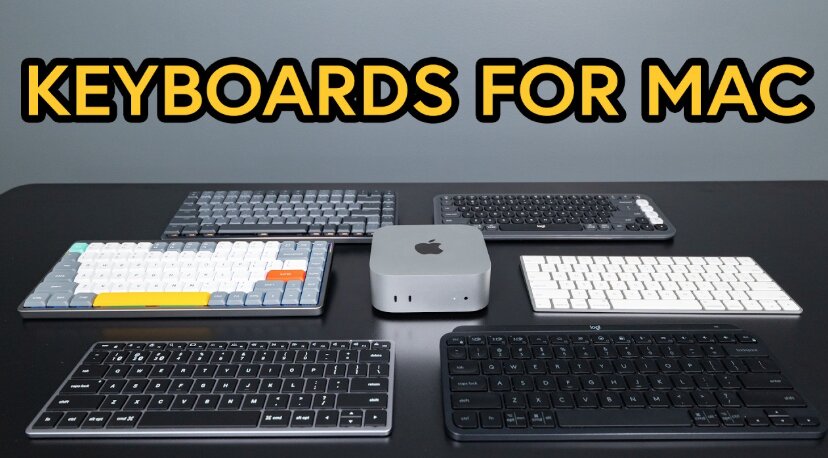
Looking for the best keyboard for Mac Mini? You’re not alone.
The Mac Mini delivers incredible performance in a compact package, but unlike a MacBook, it doesn’t come with a built-in keyboard. That means choosing the right keyboard is an important part of building the perfect desktop setup.
The challenge is that there are hundreds of keyboards marketed as “Mac compatible.” Some offer dedicated Mac shortcut keys and seamless Bluetooth pairing, while others force you to memorize Windows layouts or deal with connection issues. The right keyboard can dramatically improve your productivity, comfort, and overall Mac experience.
After comparing features, Mac compatibility, connectivity options, build quality, battery life, and user experience, one model stood out above the rest.
Our Top Recommendation: Apple Magic Keyboard with Numeric Keypad
Why we recommend it:
The Apple Magic Keyboard with Numeric Keypad offers the most seamless Mac Mini experience available today. It includes a full Mac layout, Touch ID compatibility on supported systems, exceptional battery life, premium build quality, reliable Bluetooth connectivity, and a comfortable low-profile typing experience. While it costs more than most alternatives, it delivers the best overall combination of performance, reliability, and integration with macOS.
Best Keyboard for Mac Mini: Our Top Picks
1) Apple Magic Keyboard with Numeric Keypad – Best Overall Keyboard for Mac Mini

Pros
✓ Native macOS experience
✓ Premium Apple build quality
✓ Full-size layout with numeric keypad
✓ Excellent battery life
✓ Reliable Bluetooth connection
✓ Comfortable low-profile keys
Cons
✕ More expensive than competitors
✕ Limited customization
Specifications
| Feature | Specification |
|---|---|
| Connectivity | Bluetooth |
| Layout | Full-size Mac |
| Numeric Keypad | Yes |
| Battery | Rechargeable |
| Compatibility | Mac, iPad, iPhone |
| Build Quality | Premium aluminum |
When pairing a keyboard with a Mac Mini, no option feels quite as natural as Apple’s own Magic Keyboard with Numeric Keypad.
The first thing you’ll notice is how perfectly it integrates with macOS. Every key is exactly where Mac users expect it to be. Mission Control, Spotlight, brightness controls, media controls, and other shortcuts work immediately without requiring additional software.
Typing feels fast and precise. The scissor-switch mechanism provides a stable keypress with minimal wobble, making long writing sessions comfortable. While mechanical keyboard enthusiasts may prefer deeper travel, most Mac users appreciate the clean and responsive feel.
The full-size layout is another major advantage. The dedicated numeric keypad is especially useful for accountants, data analysts, spreadsheet users, and anyone who frequently enters numbers.
Battery life is excellent. Many users go weeks or even months between charges depending on usage. Recharging is simple thanks to Apple’s integrated rechargeable battery system.
For Mac Mini owners who want the closest thing to a built-in Apple desktop experience, this remains the gold standard.
Bottom Line: If your budget allows it, the Apple Magic Keyboard with Numeric Keypad is the best keyboard for Mac Mini overall.
2) Macally Premium Bluetooth Keyboard and Mouse Combo – Best Value Bundle

Pros
✓ Includes matching mouse
✓ Full-size 110-key layout
✓ Multi-device connectivity
✓ Rechargeable battery
✓ Mac-specific shortcuts
Cons
✕ Mouse feels basic
✕ Slightly larger footprint
Specifications
| Feature | Specification |
|---|---|
| Connectivity | Bluetooth |
| Keys | 110 |
| Multi-Device | Yes |
| Numeric Keypad | Yes |
| Rechargeable | Yes |
| Included Accessories | Mouse |
If you want an entire desktop setup in one purchase, the Macally Premium Bluetooth Keyboard and Mouse Combo offers tremendous value.
The keyboard features a full-size layout designed specifically for Apple users. Dedicated Mac shortcut keys help streamline common tasks, while the numeric keypad improves productivity.
One standout feature is multi-device support. You can switch between a Mac Mini, MacBook Air, and iPad without constantly reconnecting devices. This flexibility is particularly useful for users working across multiple Apple devices.
Typing feels comfortable and familiar. The keys offer enough travel to remain satisfying while maintaining the slim profile many Mac users prefer.
Although the included mouse won’t compete with premium productivity mice, it performs well for everyday browsing, office work, and general use.
Bottom Line: The Macally Premium Combo delivers excellent value for users seeking a complete Mac Mini keyboard and mouse package.
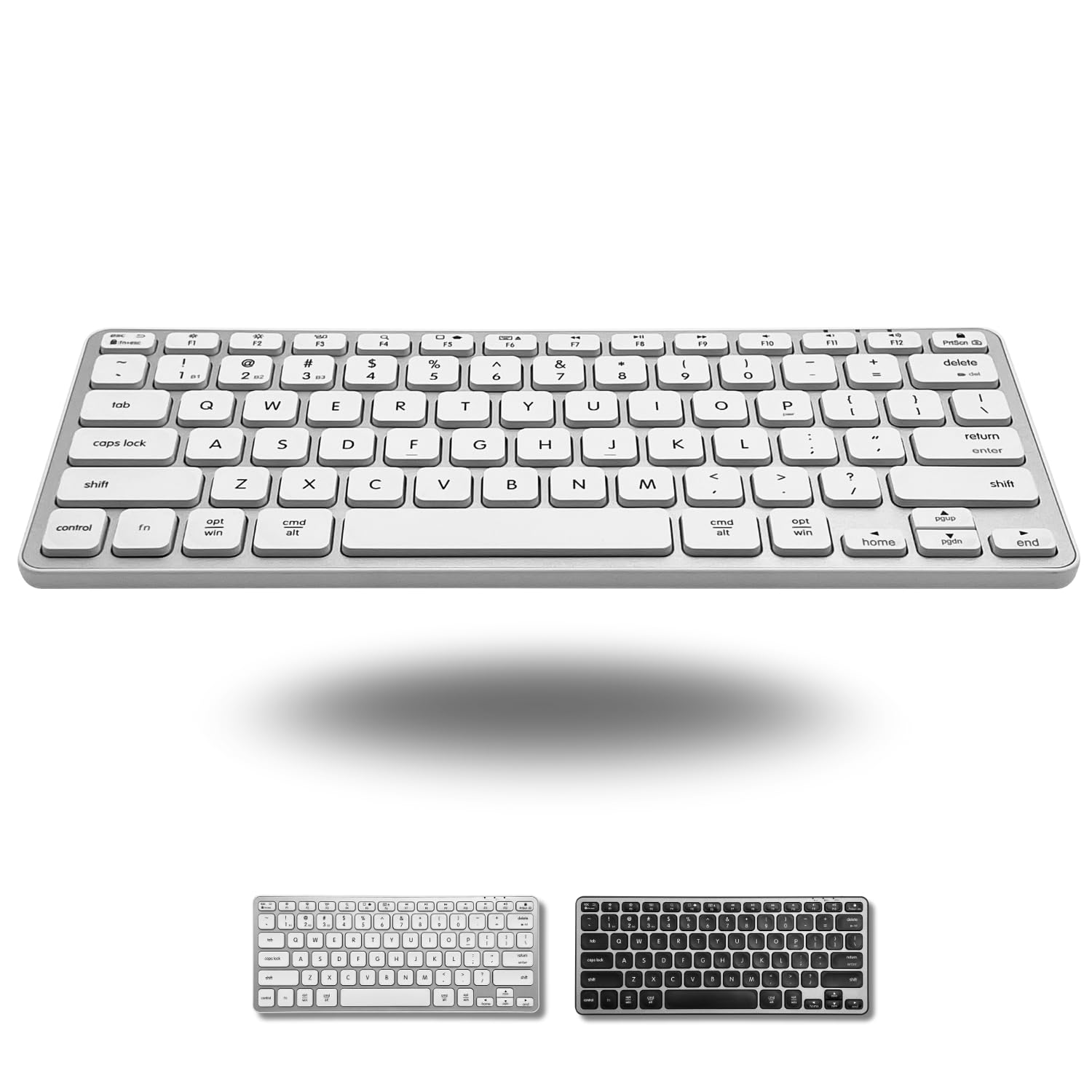
3) Macally Wireless Bluetooth Keyboard for Mac – Best Full-Size Alternative
Pros
✓ Supports up to 3 devices
✓ Full numeric keypad
✓ 20 dedicated shortcut keys
✓ Rechargeable design
✓ Mac-focused layout
Cons
✕ Plastic construction
✕ Not as premium as Apple
Specifications
| Feature | Specification |
|---|---|
| Connectivity | Bluetooth |
| Device Support | Up to 3 devices |
| Keys | 110 |
| Shortcuts | 20 |
| Numeric Keypad | Yes |
| Rechargeable | Yes |
Macally has developed a strong reputation for Mac accessories, and this wireless Bluetooth keyboard demonstrates why.
The keyboard feels purpose-built for Mac Mini users. Unlike generic Windows keyboards claiming Mac compatibility, this model includes Mac-specific labeling and shortcuts.
Its ability to connect with up to three devices simultaneously is especially appealing. Switching between devices takes only seconds, making it ideal for professionals who work across multiple systems.
The dedicated numeric keypad enhances efficiency for spreadsheet work, accounting, inventory management, and financial tasks.
Twenty shortcut keys help users access common macOS functions quickly, reducing reliance on trackpad gestures and menu navigation.
Bottom Line: This is one of the strongest alternatives to Apple’s Magic Keyboard for users who want more features at a lower price.
4) seenda Bluetooth Keyboard and Mouse Combo – Best Compact Keyboard for Mac Mini

Pros
✓ Compact footprint
✓ Silent typing experience
✓ Rechargeable
✓ Supports 3 devices
✓ Modern minimalist design
Cons
✕ No numeric keypad
✕ Smaller key spacing
Specifications
| Feature | Specification |
|---|---|
| Connectivity | Bluetooth |
| Multi-Device | 3 devices |
| Rechargeable | Yes |
| Keyboard Style | Compact |
| Mouse Included | Yes |
| Noise Level | Silent |
Not every Mac Mini user wants a large full-size keyboard.
If desk space is limited, the seenda Bluetooth Keyboard and Mouse Combo becomes a compelling option.
The compact layout reduces clutter and leaves more room for monitors, notebooks, speakers, and other accessories. Despite its smaller size, it still maintains excellent Mac compatibility.
One of the standout features is its quiet typing experience. The low-noise keys make it a strong choice for shared offices, libraries, classrooms, and home environments where noise matters.
The ability to connect with up to three devices further increases its versatility.
For users prioritizing portability and desk space over a dedicated numeric keypad, the seenda combo offers an excellent balance of functionality and convenience.
Bottom Line: Ideal for minimalists who want a compact Mac Mini keyboard without sacrificing wireless flexibility.
5) Wireless Keyboard and Mouse Combo – Best Budget Option

Pros
✓ Affordable price
✓ Full-size layout
✓ Included mouse
✓ Quiet operation
✓ Simple setup
Cons
✕ Generic Mac support
✕ Fewer premium features
Specifications
| Feature | Specification |
|---|---|
| Connectivity | 2.4GHz Wireless |
| DPI Levels | 3 Adjustable |
| Layout | Full-size |
| Numeric Keypad | Yes |
| Battery Life | Long-lasting |
| Included Mouse | Yes |
For budget-conscious shoppers, this Wireless Keyboard and Mouse Combo provides impressive functionality at a lower cost.
Setup is straightforward thanks to its 2.4GHz wireless connection. Simply plug in the receiver and begin working.
The full-size layout includes a numeric keypad, making it suitable for office tasks, spreadsheets, and general productivity.
While it doesn’t offer the same level of macOS integration as Apple or Macally keyboards, it remains fully usable with Mac Mini systems.
Typing is quiet and comfortable, and the adjustable DPI mouse adds flexibility for different workflows.
Bottom Line: A practical budget choice for Mac Mini users who need a full keyboard and mouse without spending a premium.
Product Comparison Table
| Keyboard | Connection | Mac Layout | Numeric Keypad | Multi-Device Support | Rechargeable | Best For |
|---|---|---|---|---|---|---|
| Apple Magic Keyboard with Numeric Keypad | Bluetooth | Yes | Yes | No | Yes | Overall performance |
| Macally Premium Bluetooth Keyboard and Mouse Combo | Bluetooth | Yes | Yes | Yes | Yes | Productivity users |
| Macally Wireless Bluetooth Keyboard for Mac | Bluetooth | Yes | Yes | Up to 3 devices | Yes | Office work |
| seenda Bluetooth Keyboard and Mouse Combo | Bluetooth | Yes | No | Up to 3 devices | Yes | Small desks |
| Wireless Keyboard and Mouse Combo | 2.4GHz Wireless | Partial | Yes | No | Long battery life | Budget buyers |
How to Choose the Best Keyboard for Mac Mini
Choosing the best keyboard for Mac Mini depends on several important factors.
Mac Compatibility
The best keyboards include dedicated Mac function keys and layouts. This ensures that shortcuts, media controls, brightness controls, and other features work properly.
Full-Size vs Compact
Full-size keyboards include numeric keypads and extra navigation keys. Compact keyboards save desk space and often feel cleaner and more modern.
Wireless Connectivity
Bluetooth keyboards are typically the preferred option for Mac Mini users. They eliminate cable clutter while maintaining reliable performance.
Multi-Device Support
Many modern keyboards can pair with multiple devices simultaneously. This feature is valuable if you regularly switch between a Mac Mini, MacBook, iPad, or iPhone.
Battery Life
Rechargeable keyboards offer convenience and lower long-term costs. Look for models that provide weeks or months of use between charges.
Build Quality
Premium materials improve durability and typing comfort. Aluminum and high-quality plastics generally provide the best long-term experience.
Wired vs Wireless Keyboards for Mac Mini
Wireless Advantages
- Cleaner desk setup
- Greater flexibility
- Easier device switching
- Better aesthetics
Wireless Disadvantages
- Requires charging
- Potential pairing issues
Wired Advantages
- No battery concerns
- Consistent connection
- Lower latency
Wired Disadvantages
- More cable clutter
- Less flexibility
For most Mac Mini users, wireless keyboards are the better choice due to their convenience and clean appearance.
Frequently Asked Questions
What keyboard works best with Mac Mini?
The Apple Magic Keyboard with Numeric Keypad offers the best overall compatibility, performance, and integration with macOS.
Can I use a Windows keyboard with Mac Mini?
Yes. Most Windows keyboards function with Mac Mini systems, though some keys may be mapped differently and Mac-specific shortcuts may be missing.
Is a numeric keypad necessary?
Not for everyone. Users who work with spreadsheets, accounting software, or data entry often benefit greatly from a numeric keypad.
Are Bluetooth keyboards reliable for Mac Mini?
Yes. Modern Bluetooth keyboards provide stable connections and excellent performance for everyday use.
Should I buy Apple’s Magic Keyboard?
If budget isn’t your primary concern and you want the most seamless Mac experience, Apple’s Magic Keyboard remains the top choice.
Final Verdict
Finding the best keyboard for Mac Mini ultimately comes down to balancing budget, features, and workflow requirements.
After comparing all five options, the Apple Magic Keyboard with Numeric Keypad earns our top recommendation. Its seamless macOS integration, premium construction, comfortable typing experience, and dependable wireless performance make it the most complete solution for Mac Mini users.
If you’re looking for better value, the Macally Premium Bluetooth Keyboard and Mouse Combo is an excellent alternative that delivers impressive functionality at a more accessible price.
For compact setups, the seenda Bluetooth Keyboard and Mouse Combo stands out as the best space-saving choice.
No matter which option you choose, upgrading to a quality keyboard can significantly improve your Mac Mini experience and help you get more out of Apple’s powerful desktop computer.

