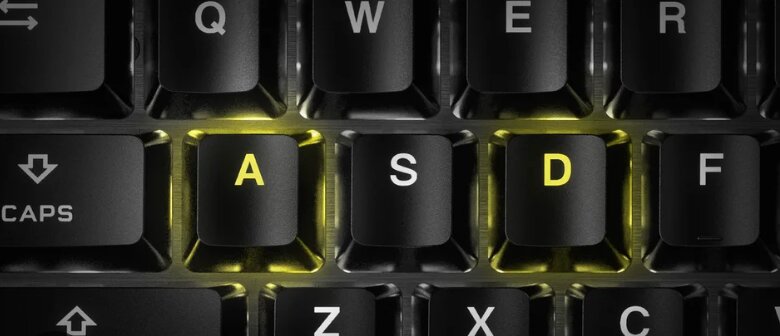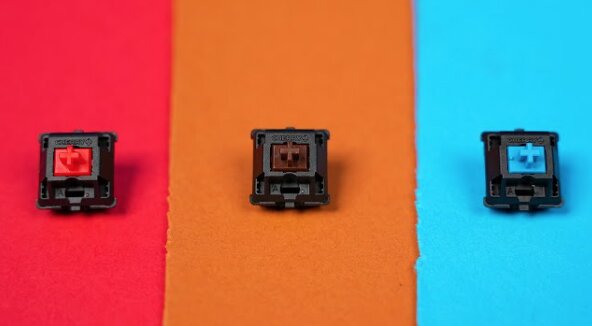
Choosing between linear vs tactile switches is one of the most important decisions when buying a mechanical keyboard. Although both switch types may look nearly identical, they offer very different typing experiences.
Linear switches are known for their smooth, uninterrupted keypresses, making them a favorite among gamers. Tactile switches, on the other hand, include a noticeable bump that provides physical feedback during each keystroke, making them popular with writers, programmers, and office workers.
Neither switch type is universally better. The right choice depends on how you use your keyboard, the type of feedback you enjoy, and your personal typing habits.
Having spent plenty of time using both switch types, one thing has become clear: the best switch is the one that disappears beneath your fingers, allowing you to focus on your work or game instead of the keyboard itself.
This guide explains everything you need to know about linear and tactile switches, including how they work, their pros and cons, gaming performance, typing feel, comfort, and how to choose the right one.
What Are Mechanical Keyboard Switches?
Mechanical keyboard switches are the individual mechanisms underneath every keycap. Each switch contains a spring and moving stem that registers a keystroke when pressed.
Unlike membrane keyboards, which rely on a rubber dome, mechanical switches offer:
- More consistent key presses
- Better durability
- Improved responsiveness
- Greater customization
- A unique typing feel
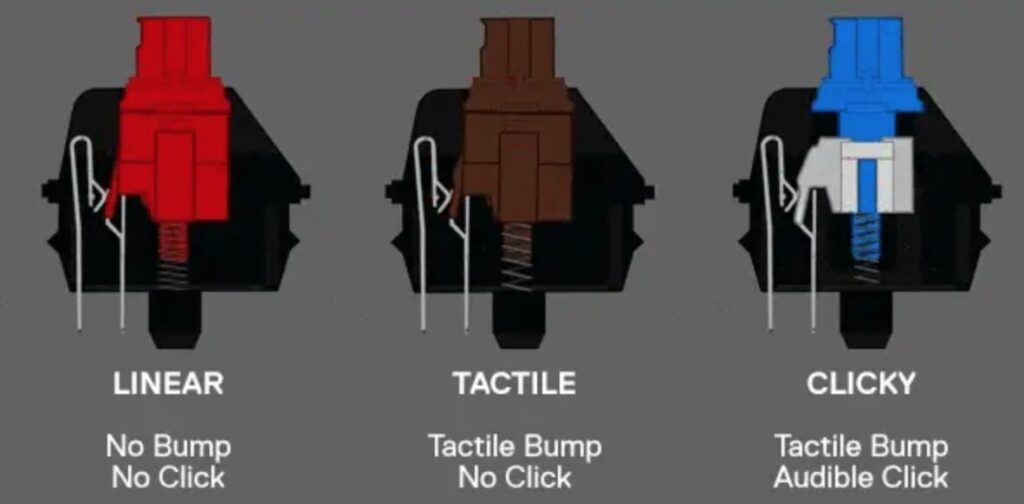
Mechanical switches generally fall into three categories:
- Linear
- Tactile
- Clicky
This article focuses on the two most popular options: linear and tactile switches.
What Are Linear Switches?
Linear switches move smoothly from the top of the keypress to the bottom without any tactile interruption.
When pressing a linear switch, you’ll feel consistent resistance throughout the entire travel distance. There is no bump or click to indicate when the key has actuated.
Because of this uninterrupted motion, linear switches often feel faster and smoother, especially during rapid repeated key presses.
Popular examples include:
- Cherry MX Red
- Cherry MX Black
- Gateron Red
- Gateron Yellow
- Kailh Red
- Akko Cream Yellow
Characteristics of Linear Switches
- Smooth keystroke from top to bottom
- No tactile bump
- Generally quieter than tactile and clicky switches
- Consistent resistance throughout the keypress
- Excellent for rapid repeated inputs
What Are Tactile Switches?
Tactile switches include a small bump during the keypress that lets your fingers know when the switch has actuated.
Rather than moving in one completely smooth motion, the key briefly resists before continuing downward. This bump provides physical confirmation that the keystroke has registered.
Many people find tactile switches more satisfying because they provide feedback without producing the loud click associated with clicky switches.
Popular tactile switches include:
- Cherry MX Brown
- Gateron Brown
- Holy Panda
- Glorious Panda
- Boba U4T
- Durock T1
Characteristics of Tactile Switches
- Noticeable tactile feedback
- Better keypress confirmation
- More controlled typing experience
- Usually quieter than clicky switches
- Slightly more resistance during key presses
Linear vs Tactile Switches: Key Differences
| Feature | Linear Switches | Tactile Switches |
|---|---|---|
| Feel | Smooth | Noticeable bump |
| Feedback | None | Physical bump |
| Typing Experience | Fluid | Controlled |
| Gaming | Excellent | Excellent |
| Noise | Usually quieter | Slightly louder |
| Learning Curve | Very easy | Easy |
| Accidental Key Presses | Slightly more common | Less common |
While both switch types share similar durability and reliability, they provide very different experiences once your fingers begin moving across the keyboard.
How Do Linear and Tactile Switches Feel When Typing?
Typing is where the difference between the two switch types becomes most noticeable.
Linear switches feel effortless. Every key travels smoothly from top to bottom without interruption, making long typing sessions feel fluid and fast.
However, because there is no physical feedback before actuation, some users accidentally press nearby keys or bottom out every keystroke until they develop muscle memory.
Tactile switches create a subtle bump during each press. That bump serves as a confirmation that the key has registered, making typing feel more deliberate and precise.
Many writers and programmers enjoy this additional feedback because it helps establish a consistent typing rhythm.
Which Is Better for Gaming?
Linear switches have become the preferred choice for many competitive gamers.
Since there is no tactile bump slowing the keypress, repeated movements feel exceptionally smooth.
Linear switches are especially popular for:
- First-person shooters
- Battle royale games
- MOBAs
- Racing games
- Rhythm games
That said, tactile switches remain perfectly capable gaming switches.
Unless you’re competing at a professional level, your reaction time, practice, and overall skill will have a much larger impact than the type of switch inside your keyboard.
Which Is Better for Typing?
Tactile switches tend to be the favorite for productivity-focused users.
The tactile bump helps your fingers recognize when a key has actuated, reducing uncertainty during long typing sessions.
This often leads to:
- Better typing confidence
- Improved accuracy
- Fewer accidental presses
- More consistent typing rhythm
Linear switches are still excellent typing switches, especially for users who enjoy a lighter, smoother feel.
After enough practice, many people type just as quickly—and just as accurately—on linear switches.
Which Switch Is More Comfortable?
Comfort is highly personal.
If you naturally press every key all the way down, linear switches often feel softer because nothing interrupts the movement.
If you prefer lighter presses, tactile switches may actually reduce fatigue by allowing you to recognize actuation before bottoming out every key.
It’s also worth remembering that comfort depends on far more than switch type.
Other factors include:
- Keyboard angle
- Wrist position
- Switch weight
- Keycap profile
- Desk height
- Typing posture
These often have a greater impact on comfort than choosing between linear and tactile switches.
Are Linear Switches Actually Faster?
One of the biggest misconceptions is that linear switches are electronically faster.
They’re not.
If two switches have identical actuation points, both register the keystroke at the same point.
The perceived speed comes from the smooth travel.
Without a tactile bump, many users can move between repeated key presses more fluidly, creating the impression of greater speed.
Are Tactile Switches More Accurate?
For many people, yes.
The tactile bump provides physical confirmation that a key has actuated.
That extra feedback can reduce accidental key presses, especially for newer mechanical keyboard users.
However, experienced typists often achieve outstanding accuracy on linear switches as well.
Accuracy ultimately depends more on familiarity than switch type.
Which Switch Is Quieter?
Linear switches are generally quieter.
Since there’s no tactile bump producing additional vibration, the overall sound profile tends to be softer.
However, switch type is only one contributor to keyboard noise.
Other factors include:
- Lubricated switches
- Keyboard case material
- Foam dampening
- Stabilizer quality
- Keycaps
- Desk surface
A well-built tactile keyboard can easily sound quieter than a poorly built linear keyboard.
Who Should Choose Linear Switches?
Linear switches are often an excellent choice if you:
- Play competitive games
- Prefer smooth key presses
- Enjoy rapid repeated inputs
- Want a quieter keyboard
- Like customizing mechanical keyboards
Who Should Choose Tactile Switches?
Tactile switches are often ideal if you:
- Write frequently
- Program for long hours
- Work in spreadsheets
- Prefer physical feedback
- Want greater typing confidence
Common Myths About Linear and Tactile Switches
Linear switches are only for gamers
Not true.
Many developers, writers, and office professionals enjoy linear switches because they require very little effort to press.
Tactile switches are loud
A tactile bump is not the same as an audible click.
Most tactile switches are much quieter than clicky switches.
Tactile switches are slower
The tactile bump slightly changes the feel of the keypress, but the real-world difference in typing or gaming speed is minimal for most users.
Linear switches cause more typing mistakes
Some beginners may initially make more accidental presses, but this usually disappears as muscle memory develops.
Other Factors That Matter More Than Switch Type
Many buyers focus entirely on switch type while overlooking factors that often have a greater impact on the overall experience.
These include:
- Switch weight
- Factory lubrication
- Keyboard mounting style
- Plate material
- Stabilizer tuning
- Keycap material
- Keyboard firmware
- Build quality
A premium keyboard with well-tuned switches often feels dramatically better than a budget keyboard, regardless of whether the switches are linear or tactile.
Frequently Asked Questions
Are linear switches better than tactile switches?
Neither is objectively better. Linear switches prioritize smoothness, while tactile switches prioritize feedback and typing precision.
Can you game on tactile switches?
Absolutely. Many gamers use tactile switches successfully, especially for casual gaming and slower-paced genres.
Are tactile switches good for beginners?
Yes. The tactile bump often helps new mechanical keyboard users feel exactly when each key has actuated.
Which switch lasts longer?
Both switch types offer similar durability. Lifespan depends more on the manufacturer than whether the switch is linear or tactile.
Can I change switch types later?
If your keyboard supports hot-swappable switches, changing from linear to tactile (or vice versa) is straightforward. Otherwise, replacing switches usually requires desoldering.
Final Thoughts
The debate between linear vs tactile switches has no universal winner because every keyboard user values something different.
Linear switches excel at delivering a smooth, effortless experience that many gamers and enthusiasts appreciate. Tactile switches provide reassuring feedback that countless writers, programmers, and office professionals find more satisfying during long typing sessions.
After using both extensively, the biggest lesson has been that comfort and enjoyment matter far more than trends or marketing claims. A switch that feels natural to your hands will almost always outperform one that simply happens to be popular.
If possible, try both styles before committing to your next keyboard. A few minutes of hands-on experience often reveals more than hours of reading reviews.